 inbox Me
Temp Mail for Minecraft: Does It Accept a Disposable Email?
Minecraft migrated to Microsoft accounts — here's what that means for temp mail and how to create a fresh account without your real email.
Minecraft migrated all accounts to Microsoft accounts in 2022, ending the old Mojang account system. This means playing Minecraft now requires a Microsoft account — you cannot sign up directly with a standalone email address. A disposable email can technically be used as the recovery email during Microsoft account creation, but Microsoft itself controls whether new accounts require phone verification, and that step frequently blocks IP addresses associated with proxy or shared infrastructure. The practical short answer: temp mail is possible at the Microsoft account creation step but phone verification is a common obstacle.
How to create a Microsoft account for Minecraft with a temporary email
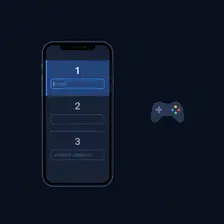
- Open inbox Me and copy your disposable email address — you will use it during Microsoft account setup.
- Go to account.microsoft.com and click Create a Microsoft account. Choose to create a new @outlook.com or @hotmail.com address — or use your temp mail as an alternate.
- Complete Microsoft's identity verification. If a phone number is required, a temp email alone won't bypass it.
- Once the Microsoft account is created, go to minecraft.net and purchase or access Minecraft (Java Edition requires a one-time purchase; Bedrock Edition is free on some platforms).
- Sign into the Minecraft Launcher with your Microsoft credentials.
Common verification blockers

- Microsoft phone verification: This is the biggest barrier. New Microsoft accounts from flagged IPs almost always hit a phone-number requirement — a temp email cannot help with this step.
- Paid game: Minecraft Java Edition is not free — it requires a one-time purchase tied to the Microsoft account. Using a temp address on a paid account creates recovery risk.
- Xbox Game Pass: Minecraft is included in Xbox Game Pass. A Game Pass subscription requires a Microsoft account with a valid payment method — stable account access is important here.
Need a temp email ready while setting up a Microsoft account?
Get a free temporary email →Free tools
- Email Validator — Check if an email address is valid, formatted correctly, and has active mail servers. Instant results, no signup required.
- Username Generator — Generate unique, random usernames for gaming, social media, or any online account. Multiple styles, instant results, no signup.
- Fake Name Generator — Generate random fake identities with names, usernames, and emails. Free, instant, no signup. Perfect for testing, privacy, and gaming personas.
- Password Generator — Generate strong, random passwords with customizable length and character sets. Free, private, 100% browser-based.
Related guides
- Temp Mail for PUBG Mobile: Can You Sign Up with a Disposable Email?
- Temp Mail for Battle.net: Signing Up with a Disposable Email
- Temp Mail for Honkai: Star Rail — Does HoYoverse Accept Disposable Emails?
- Temp Mail for Telegram: Does It Need an Email or a Phone Number?
- Is Using a Temporary Email Address Illegal?
- What Is a Burner Email? How It Compares to Temp Mail
Frequently asked questions
- Can you use a temporary email to create a Minecraft account?
- Directly, no — Minecraft requires a Microsoft account, and Microsoft is the gatekeeper. You can use a temp address as a recovery email during Microsoft account creation, but Microsoft often requires phone verification for new accounts, which temp mail cannot bypass.
- Is Minecraft Java Edition free?
- No — Minecraft Java Edition is a one-time purchase (~$30 USD). Minecraft Bedrock Edition is free on some platforms (Xbox, Windows via Game Pass) but requires a paid purchase on others. The Microsoft account is free to create.
- What is the easiest way to create a fresh Microsoft account for Minecraft?
- Go to account.microsoft.com/signup and create a new @outlook.com address. Microsoft generates this for you — your temp mail can be used as an alternate/recovery contact. The biggest obstacle is phone verification if your IP is flagged.
- Does Minecraft Bedrock require a different account than Java?
- Both editions now use Microsoft accounts. You can play both with the same Microsoft account if you've purchased/have access to both editions. Cross-play between Java and Bedrock is not supported, but the account is shared.