 inbox Me
Email Validator
Check if an email address is valid, formatted correctly, and has active mail servers. Instant results, no signup required.
The email validator answers one question before you send — or accept — an address: can this mailbox actually receive mail? It checks the syntax, the domain and its mail servers, flags known throwaway domains and shared role addresses, and does it without sending a single message.

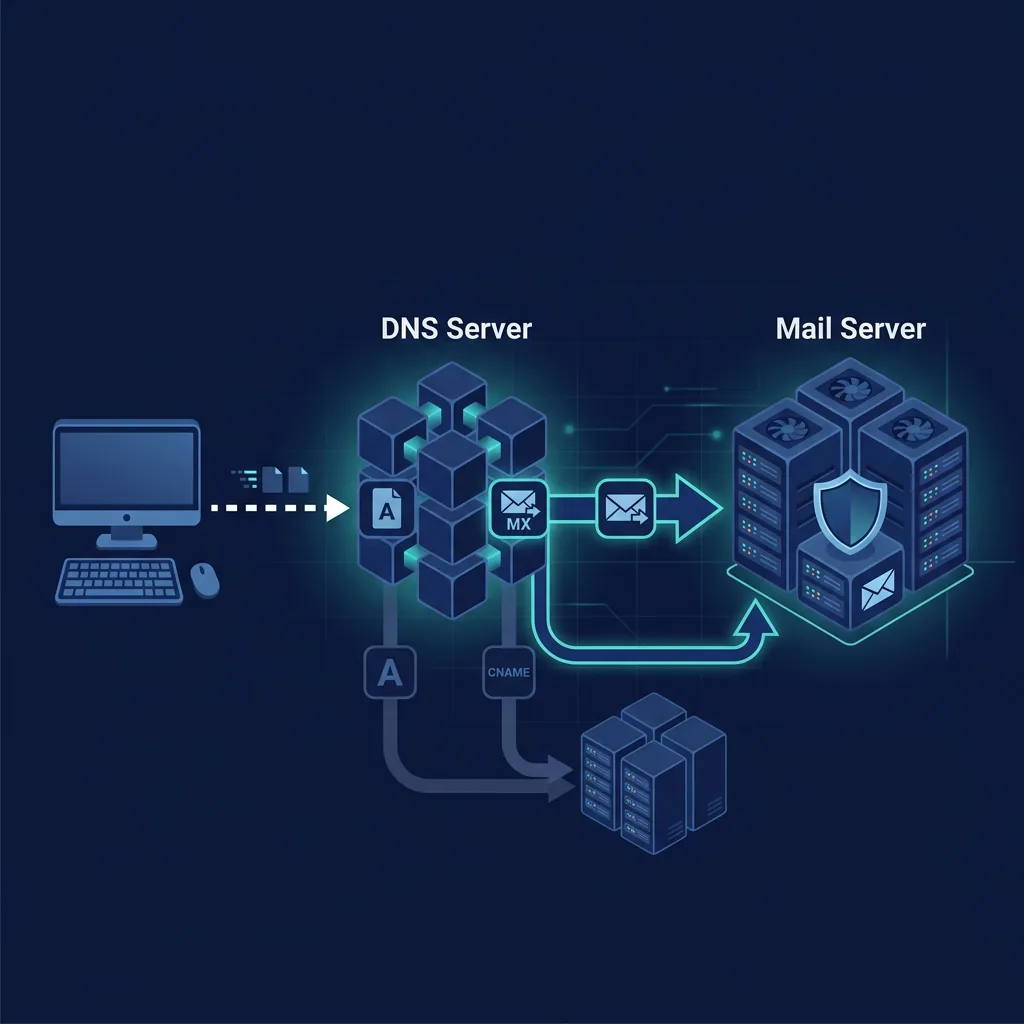
What the four checks mean
Every address runs through four independent checks. A clean result on all four means the address is well-formed, its domain has mail servers configured, it is not a known throwaway domain, and it is not a shared mailbox such as info@ or support@.
- Syntax / format — exactly one @, no spaces, a dot in the domain, no leading or trailing dot in either part.
- Mail server (MX) — the domain publishes an MX record, so there is somewhere to deliver the message.
- Disposable / temp mail — the domain belongs to a known throwaway provider (Mailinator, Guerrilla Mail and similar).
- Role address — info@, support@, admin@: a mailbox watched by a team or nobody at all.
Why the MX record decides delivery
MX (Mail Exchange) records are DNS entries that tell the internet where email for a domain should be delivered. A domain can exist, load a website and still receive nothing: without an MX record every message you send to it is a hard bounce, and no retry will fix it.
The lookup only queries public DNS data for the domain. It does not contact the recipient's server and does not send anything to the address you entered.
Disposable domains and role addresses
Disposable domains are short-lived inboxes that need no registration. They are legitimate for a one-off download or a form you will never return to — and they are exactly what most platforms block at signup, because nobody can be reached at that address afterwards.
Role addresses are different: they are real, permanent and shared. They often have nobody watching them, or an autoresponder, which is why they perform badly for double opt-in and why the validator marks them risky rather than invalid.
What this check cannot prove
Confirming that a specific mailbox exists would mean sending a test message — which mail servers treat as abuse, and which is unreliable anyway. So the verdict is "this address could receive mail", not "a person reads it".
Three common cases fall outside any syntax/MX check: catch-all domains accept every address on the domain, so a typo still passes; greylisting temporarily rejects first-time senders, so a valid address fails once and succeeds minutes later; and a simple typo in the domain is only visible if you read the result carefully.
Privacy: what leaves your browser
Syntax and format checks run entirely in your browser. Only the domain part of the address — never the full address — is sent for the DNS query, and validated addresses are not logged, stored or shared.
That matters if you are checking addresses from a lead list or a signup form: the tool is not a harvesting point for the very data you are trying to protect.
How this tool works
- Paste the email address you want to check.
- The validator parses the syntax, the domain and its MX records.
- Read the verdict: valid, disposable, or likely to bounce.
When to use it
Use it before you send a signup confirmation or trust a lead list. A disposable domain is fine for a one-off signup, but it should never guard a password reset, a bank account or anything you need to recover later.
Frequently asked questions
- Can this tool confirm an email inbox actually exists?
- Not with 100% certainty. We check syntax, domain, and MX records — which confirms the address could receive email. But verifying that a specific inbox (the part before the @) exists requires sending a test email, which many servers block. Our tool gives you the strongest possible check without sending mail.
- Why does a valid-looking email address fail the MX check?
- The domain may exist (resolves in DNS) but has no MX records configured. This means the domain owner has not set up email services. The address is unreachable even though the format looks correct.
- What is a disposable email and why flag it?
- Disposable emails (also called throwaway or temp mail) are addresses from services like Mailinator, Guerrilla Mail, or inbox Me itself. They expire quickly and are often used to bypass registration. If you run a platform that needs ongoing user communication, you may want to block disposable addresses at signup.
- Does inbox Me store the email addresses I check?
- Syntax and format checks happen entirely in your browser. The MX/domain lookup sends the domain portion (not the full email) to our server for a DNS query. We do not log, store, or share any email addresses you validate.
Quick links
Free tools
- Username Generator — Generate unique, random usernames for gaming, social media, or any online account. Multiple styles, instant results, no signup.
- Fake Name Generator — Generate random fake identities with names, usernames, and emails. Free, instant, no signup. Perfect for testing, privacy, and gaming personas.
- Password Generator — Generate strong, random passwords with customizable length and character sets. Free, private, 100% browser-based.