 inbox Me
Temp Mail for PUBG Mobile: Can You Sign Up with a Disposable Email?
PUBG Mobile supports multiple signup methods — here's how a temporary email address works for creating a guest-free account.
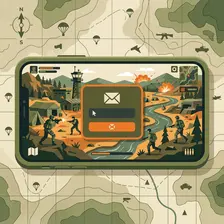
PUBG Mobile supports multiple signup methods — Facebook, Twitter/X, Google, Apple, and a guest mode that requires no account at all. Direct email signup is also available in the game's settings under "Sign in with email." Disposable email addresses can work for this path, but the most practical approach for new players is guest mode (immediate access, no registration) followed by linking a social account later if you want to save progress across devices.
How to sign up for PUBG Mobile with a temporary email
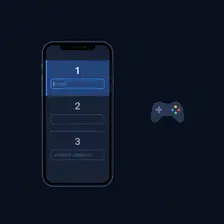
- Open the PUBG Mobile app. If you want to play immediately without registration, tap Guest — your progress is device-local until you link an account.
- To create an account with a temp email: tap the profile icon → Link → Sign in with email.
- Open inbox Me and copy your disposable address. Enter it in the PUBG Mobile email field.
- PUBG Mobile sends a verification code. Check inbox Me for it — usually arrives within 60 seconds.
- Enter the code in the app to verify your email and link the account to your guest progress.
Common verification blockers

- Guest mode is often enough: PUBG Mobile's guest mode is fully playable without an email. The email account is needed mainly to sync progress across devices or recover a lost account.
- OTP code delivery: PUBG Mobile sends a one-time code (not a link) to your email. Inbox Me displays these codes immediately — the process is fast.
- Account recovery: If you lose your phone and have no linked social account, recovery relies on email. A temp inbox that has expired means permanent loss of your progress and in-game purchases.
Get a temp email for PUBG Mobile now
Get a free temporary email →Free tools
- Email Validator — Check if an email address is valid, formatted correctly, and has active mail servers. Instant results, no signup required.
- Username Generator — Generate unique, random usernames for gaming, social media, or any online account. Multiple styles, instant results, no signup.
- Fake Name Generator — Generate random fake identities with names, usernames, and emails. Free, instant, no signup. Perfect for testing, privacy, and gaming personas.
- Password Generator — Generate strong, random passwords with customizable length and character sets. Free, private, 100% browser-based.
Related guides
- Temp Mail for Battle.net: Signing Up with a Disposable Email
- Temp Mail for Honkai: Star Rail — Does HoYoverse Accept Disposable Emails?
- Temp Mail for Telegram: Does It Need an Email or a Phone Number?
- Is Using a Temporary Email Address Illegal?
- What Is a Burner Email? How It Compares to Temp Mail
- Temp Mail in Pakistan: Best Disposable Email Services That Work
Frequently asked questions
- Does PUBG Mobile require an email address to play?
- No — PUBG Mobile has a guest mode that lets you play immediately with no account registration. An email account is only needed if you want to save progress across devices or protect your account from loss.
- Does PUBG Mobile send a link or a code for email verification?
- PUBG Mobile sends a numeric OTP (one-time password) code, not a clickable link. You enter the code in the game app within a time limit. inbox Me displays these codes clearly as soon as they arrive.
- Can I link a social account to a PUBG Mobile guest account?
- Yes — PUBG Mobile lets you link Facebook, Twitter/X, Google, or Apple accounts to your guest progress. This is often more practical than email verification and doesn't require a temp inbox at all.
- What happens to in-game purchases if I lose access to my PUBG Mobile email?
- In-game purchases are tied to the game account. If you lose account access (e.g. temp inbox expired, can't receive OTP for recovery), PUBG Mobile support may require email verification to restore access. Use a stable email for accounts with purchased content.