 inbox Me
Temporary Email vs. Email Aliasing: What's the Difference?
Gmail "+" tricks, iCloud Hide My Email, and dedicated alias services all promise privacy — here's how they actually compare to a disposable inbox.

"Email aliasing" and "temporary email" solve overlapping but different problems, and mixing them up leads to the wrong tool for the job.
Gmail plus-addressing (yourname+shop@gmail.com)
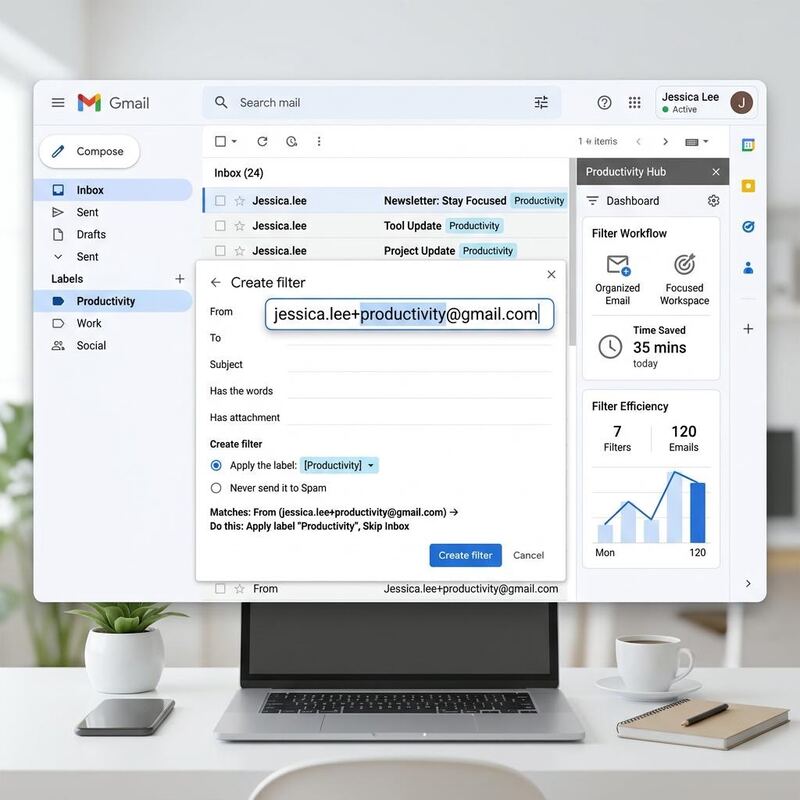
Mail still lands in your real inbox — it's a filtering trick, not a privacy one. Anyone who sees the address can strip the +shop suffix and recover your real Gmail address instantly. Use it for organizing your own inbox, not for hiding your identity.
iCloud Hide My Email / Firefox Relay / SimpleLogin
These generate a real, unique alias per site that forwards to your actual inbox, and you can delete a single alias if it starts getting spammed without touching your main address. They're closer to a temp inbox in spirit, but mail still arrives in your permanent mailbox and the mapping between alias and identity is stored by the provider.
Disposable / temporary email (inbox Me and similar)
No forwarding, no persistent link to your identity, and the inbox itself is throwaway. This is the strongest separation between "who I am" and "what this site sees," at the cost of losing access once you close the session.
Which to use when
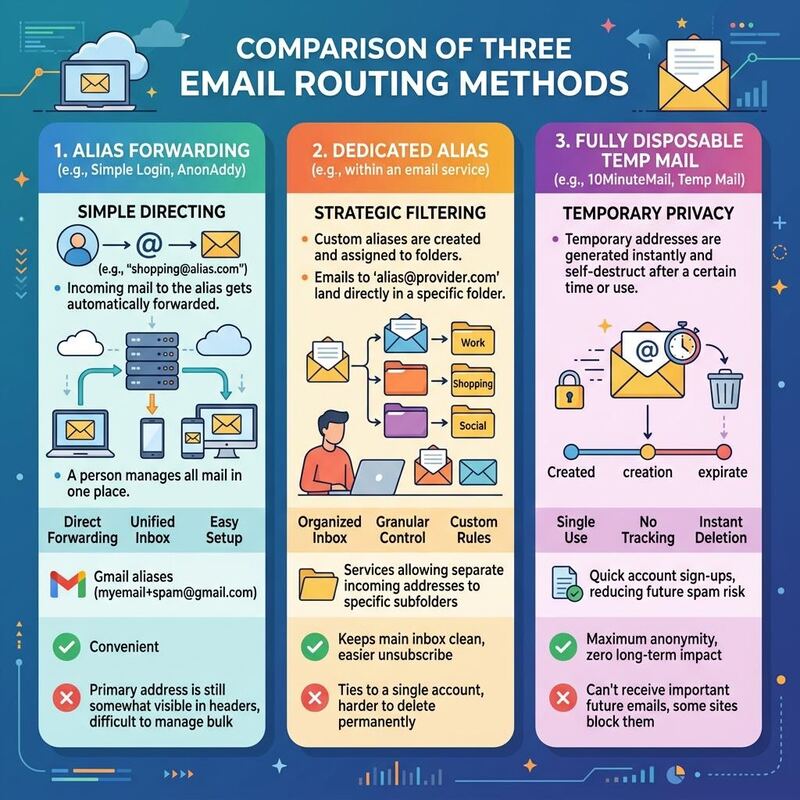
Use aliasing for services you'll actually use long-term and might need to recover. Use a temporary address for anything one-off, low-trust, or where you specifically don't want a durable link back to you.
Need a throwaway address for a one-off signup?
Get a free temporary email →Free tools
- Email Validator — Check if an email address is valid, formatted correctly, and has active mail servers. Instant results, no signup required.
- Username Generator — Generate unique, random usernames for gaming, social media, or any online account. Multiple styles, instant results, no signup.
- Fake Name Generator — Generate random fake identities with names, usernames, and emails. Free, instant, no signup. Perfect for testing, privacy, and gaming personas.
- Password Generator — Generate strong, random passwords with customizable length and character sets. Free, private, 100% browser-based.
Related guides
- Is Temporary Email Safe to Use? A Practical Risk Guide
- Using Temporary Email for Online Shopping and Free Trials
- Temp Mail for ChatGPT: Does OpenAI Accept Disposable Emails?
- Temp Mail for Cursor: Signing Up for the AI Code Editor Without Your Real Email
- Temp Mail for Windsurf: Can You Sign Up with a Disposable Email?
- Temp Mail for Devin AI: Signing Up for Cognition's AI Engineer
Frequently asked questions
- Which is more private, temp mail or an alias?
- Temp mail, for one-off signups: the address is not linked to you at all and deletes itself. An alias forwards to your real inbox, so the provider — and anyone who obtains the alias — can eventually trace it back to you.
- Can I reply to an email sent to my alias?
- Yes — an alias forwards to your real inbox, so replies appear to come from your real address. A temp-mail inbox cannot reply at all; that is the trade-off for full anonymity.
- Should I use an alias or temp mail for a newsletter?
- Either works. Temp mail is simpler if you never want to hear from the sender again; an alias is better if you might want to unsubscribe selectively later while still filtering that sender.