Temp Mail vs VPN — What Each Protects and When You Need Both
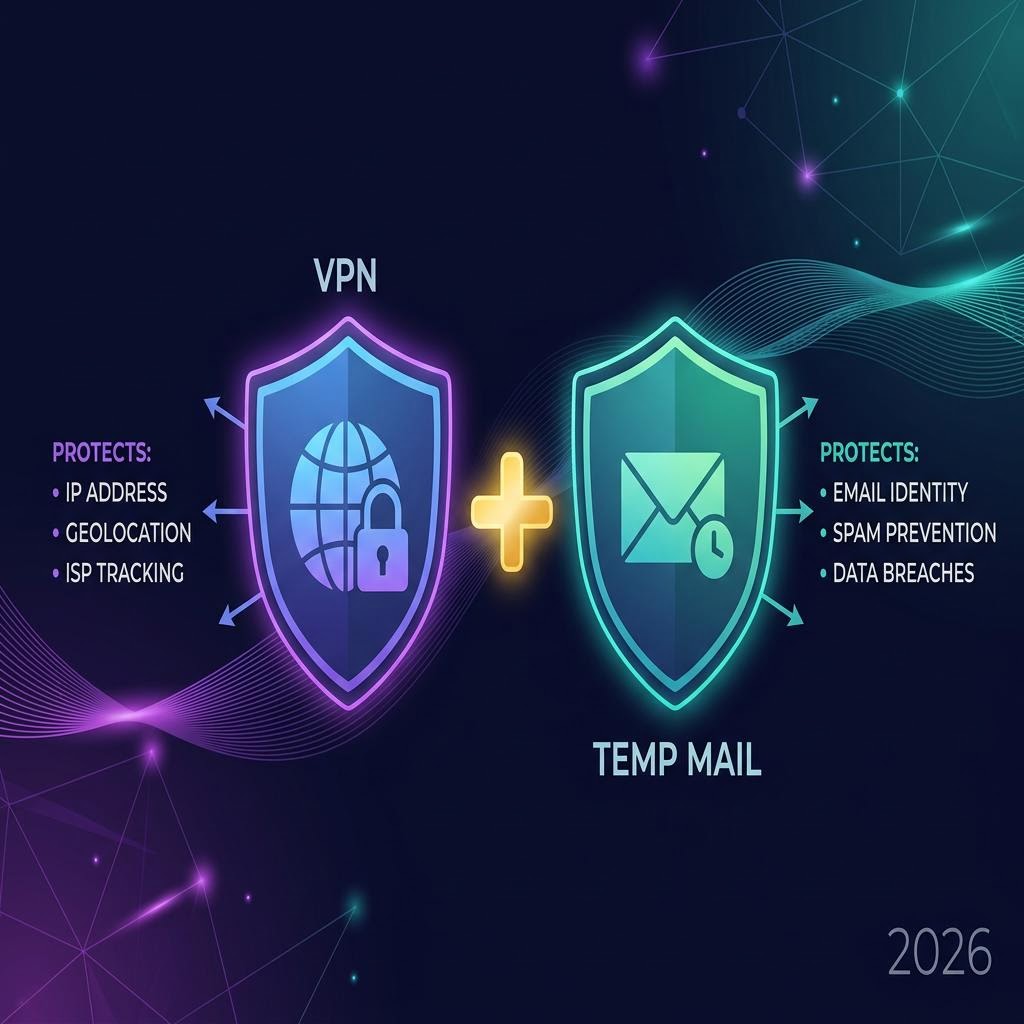
"I use a VPN, so I'm private online." "I use temp mail, so I'm protected." Both statements are partially true — and both leave significant gaps if used in isolation. Temp mail and VPNs solve different privacy problems, and understanding the difference helps you know exactly how protected you actually are.
What a VPN Protects
A VPN (Virtual Private Network) routes your internet traffic through an encrypted tunnel to a server in another location. This means:
What a VPN Hides
- Your IP address — websites see the VPN server's IP, not yours
- Your location — you appear to be in the VPN server's country
- Your internet traffic — from your ISP (Internet Service Provider)
- Network-level surveillance — public Wi-Fi snooping, ISP logging
What a VPN Does NOT Protect
- Your email address — websites still know the email you signed up with
- Your account data — what you do after logging in is still visible to the platform
- Cookies and browser fingerprinting — your browser profile can still identify you
- Your real identity — if you give a site your name and email, a VPN doesn't hide that
In short: A VPN hides where you're connecting from. It does not hide who you are.

What Temp Mail Protects
A temporary email service like inbox Me provides a disposable email address that receives mail without revealing your real identity.
What Temp Mail Hides
- Your real email address — the site only knows the temp address
- Your email identity — the temp address is not connected to your name or any account
- Your inbox — future marketing, spam, and data breach exposure go to a defunct address
- Cross-site tracking via email — your real email isn't shared between platforms
What Temp Mail Does NOT Protect
- Your IP address — the website still sees your real IP (unless you also use a VPN)
- Your location — still visible to the site
- Browser fingerprinting — cookies, device ID, and browser profile still identify you
- What you do on the platform — login behavior, clicks, and usage are still tracked
In short: Temp mail hides your email identity. It does not hide your network identity.

Side-by-Side Comparison
| Privacy Layer | VPN | Temp Mail |
|---|---|---|
| Hides IP address | ✅ Yes | ❌ No |
| Hides location | ✅ Yes | ❌ No |
| Hides email identity | ❌ No | ✅ Yes |
| Prevents spam | ❌ No | ✅ Yes |
| Protects from email breaches | ❌ No | ✅ Yes |
| Hides browsing from ISP | ✅ Yes | ❌ No |
| Works on public Wi-Fi | ✅ Yes | ❌ (indirectly) |
| Prevents email tracking pixels | ❌ No | ✅ Yes (inbox expires) |
| Free options available | ⚠️ Limited | ✅ Yes |
| Setup required | ✅ Some | ❌ None |

When to Use Temp Mail Only
Temp mail alone is sufficient when:
- You're signing up for a website and want to avoid future spam
- You need a verification code for a one-time service
- You don't care if the site knows your real IP (most legal uses)
- You're on your home network and location isn't a concern
Example: Creating a throwaway account on a forum to ask a question. The forum knowing your IP from home is fine — you just don't want their newsletters in your inbox.
When to Use VPN Only
A VPN alone is sufficient when:
- You're on public Wi-Fi and want to protect your traffic
- You're accessing region-locked content
- You want to prevent your ISP from logging your browsing
- You're not concerned about email privacy specifically
Example: Watching a streaming service from a coffee shop. You don't need temp mail — you're already logged in with your real account. You just want to protect the connection.
When to Use Both Together
Using both a VPN and temp mail gives you layered privacy:
- The site doesn't know your IP (VPN) AND doesn't know your real email (temp mail)
- Neither your network identity nor your email identity is exposed
- You're protected from both IP-based tracking AND email-based tracking
Best use cases for both:
- Creating anonymous accounts on platforms you don't trust
- Whistleblowing or sensitive form submissions where both IP and email could identify you
- Testing applications without leaving any traceable footprint
- Accessing regional services anonymously (VPN for region, temp mail for signup)
The Complete Privacy Stack (For Maximum Protection)
If anonymity matters:
| Layer | Tool | What It Protects |
|---|---|---|
| Email identity | inbox Me | Your real email from databases |
| Network identity | VPN | Your IP and location |
| Browser identity | Incognito/Private window | Cookies and local session data |
| Device identity | Private browsing mode | Browser fingerprint (partial) |
No tool is perfect. For truly sensitive situations (journalism, activism), a combination of Tor + temp mail + a privacy-focused OS provides the deepest protection — though that's beyond the scope of everyday privacy.
Frequently Asked Questions
If I use a VPN, do I still need temp mail?
Yes — if you want email privacy. A VPN hides your IP but not your email address. The site you signed up with still has your real email and can spam you, sell it, or expose it in a breach.
If I use temp mail, do I still need a VPN?
For most everyday uses, no. But if you're on public Wi-Fi or concerned about your ISP seeing your traffic, adding a VPN protects the network layer that temp mail doesn't cover.
Does a VPN make temp mail unnecessary?
No. They protect entirely different things and are complementary tools.
Which is more important for privacy — VPN or temp mail?
It depends on what you're protecting against. For spam and email data breaches, temp mail. For network surveillance and location hiding, VPN. Both are valuable.
Related Guides on inbox Me
- Is Temporary Email Safe?
- Can Websites Detect Temp Mail?
- Protect Your Real Email Address
- Temp Email Data Breach Protection
- Top Reasons to Use Temp Mail in 2026
- Common Myths About Temporary Email