Temp Mail for PayPal — What Actually Works (And the Risks You Need to Know)
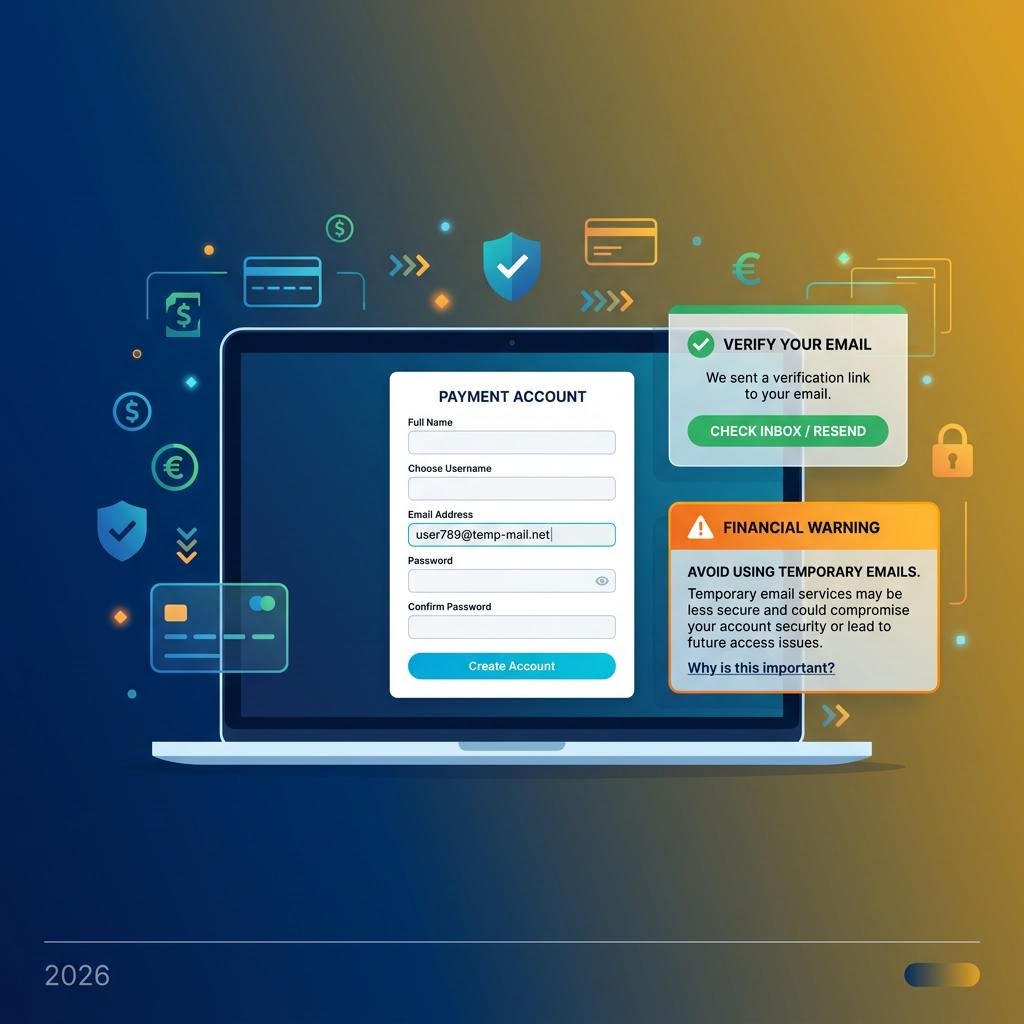
PayPal is different from most platforms where temp mail comes up. It's a financial service — your email is tied to payments, refunds, disputes, and account security. Using a temporary email for PayPal signup is technically possible, but the stakes are meaningfully higher than signing up for a social media account. This guide covers what works, what doesn't, and when you should think carefully before proceeding.
Does PayPal Accept Temporary Email Addresses?
PayPal's signup process is relatively open at the email step. As of 2026:
- PayPal accepts most email domains at signup, including many disposable providers
- PayPal sends a verification link to your email address to activate the account
- inbox Me receives PayPal's verification emails reliably
- PayPal does not maintain a comprehensive blocklist of disposable email domains at account creation
What PayPal Does After Signup
Unlike social platforms, PayPal continues to rely on your email address for ongoing financial operations:
- Payment received and payment sent notifications go to your email
- Dispute and refund communications require active email access
- Account limitation notices (if PayPal flags your account) are sent by email — missing these can result in account holds
- Two-factor authentication codes can be sent to email
- Tax documents (in applicable regions) are emailed annually
- Password resets require access to your registered email
This is why using temp mail for PayPal requires more careful planning than for, say, a game account.

Step-by-Step: Create a PayPal Account with inbox Me
Step 1 — Generate Your Temp Email
Open inbox Me and copy your auto-generated email address. Keep this tab open for the verification step.
Step 2 — Go to PayPal Signup
Go to paypal.com and click Sign Up. Choose either Personal or Business account type. Enter your email address (paste your inbox Me address), then click Next.
Step 3 — Verify Your Email
PayPal sends a verification email with a confirmation link. Open your inbox Me tab — the email arrives within 60 seconds. Click Confirm your email address to activate your PayPal account.
Step 4 — Complete the Account Profile
PayPal will ask for your name, address, phone number, and date of birth. These details are used for identity verification (required by financial regulations in most countries). For a real, usable PayPal account, this information must be accurate.
Step 5 — Immediately Add a Backup Recovery Method
This is the most important step for PayPal specifically:
- Link a phone number in PayPal's settings for 2FA and recovery
- Set a strong, unique password and store it securely — never reuse passwords for financial accounts
- Note that PayPal's security is governed by KYC (Know Your Customer) regulations — if they ever need to verify your identity, they'll use the name, address, and phone you provided

When Temp Mail Makes Sense for PayPal
Low-Stakes Personal Account Testing
If you're evaluating PayPal's interface, testing a payment integration you're building, or exploring PayPal's business dashboard before committing your real business email, a temp mail account for exploration is reasonable.
Developer and Integration Testing
PayPal has a sandbox environment (developer.paypal.com) specifically for testing. Sandbox accounts use fake money and are ideal for integration testing — and temp mail works fine for creating sandbox accounts.
Receiving Small One-Time Payments
For one-off situations where someone needs to send you money and you don't want to use your primary PayPal, a temp-mail-registered PayPal can work. But remember: once that temp mail expires, you lose email access to that account.

When You Should NOT Use Temp Mail for PayPal
Serious financial use: If you're using PayPal for business income, regular purchasing, or linking it to a bank account, use your real, long-term email address. Financial disputes, limitation notices, and tax documents require reliable email access for months or years.
Marketplace selling: Platforms like eBay, Etsy, or Depop that integrate PayPal for payments — these require a stable PayPal account. Losing email access during a payment dispute can leave you without recourse.
Regulatory compliance: PayPal is regulated as a financial institution. If they place a hold on your account and send limitation notices to an expired temp email, resolving it becomes significantly harder.
Frequently Asked Questions
Does PayPal send a link or a code to verify email?
PayPal sends a verification link (not a code) to confirm your email. Click it from your inbox Me inbox to activate the account.
Can PayPal detect temporary email addresses?
PayPal does not aggressively screen for disposable email domains at signup. Most inbox Me addresses pass PayPal's email verification step.
Is using temp mail for PayPal safe?
The email registration is not the risk — the risk is losing access to your email later. If you use temp mail for PayPal, your account security depends entirely on your password and phone number, not email recovery.
Can I change my PayPal email address later?
Yes. If you start with a temp email and want to switch to your real email, go to PayPal → Settings → Email and add your real address, then set it as primary. This is the cleanest solution: use temp mail to start, switch to real email once you decide to keep the account.
Can I use temp mail for PayPal's Honey extension?
Yes — Honey (which is PayPal-owned) has its own separate signup. A temp email works fine for creating a Honey account to access coupons.
Related Guides on inbox Me
- Temp Mail for Amazon — e-commerce platform with similar financial ties
- Sign Up for Free Trials Without Spam
- Is Temporary Email Safe? — privacy and security explained
- Can You Get in Trouble Using Fake Email?
- Protect Your Real Email Address