Temp Mail for LinkedIn — Can You Sign Up Without Your Real Email?
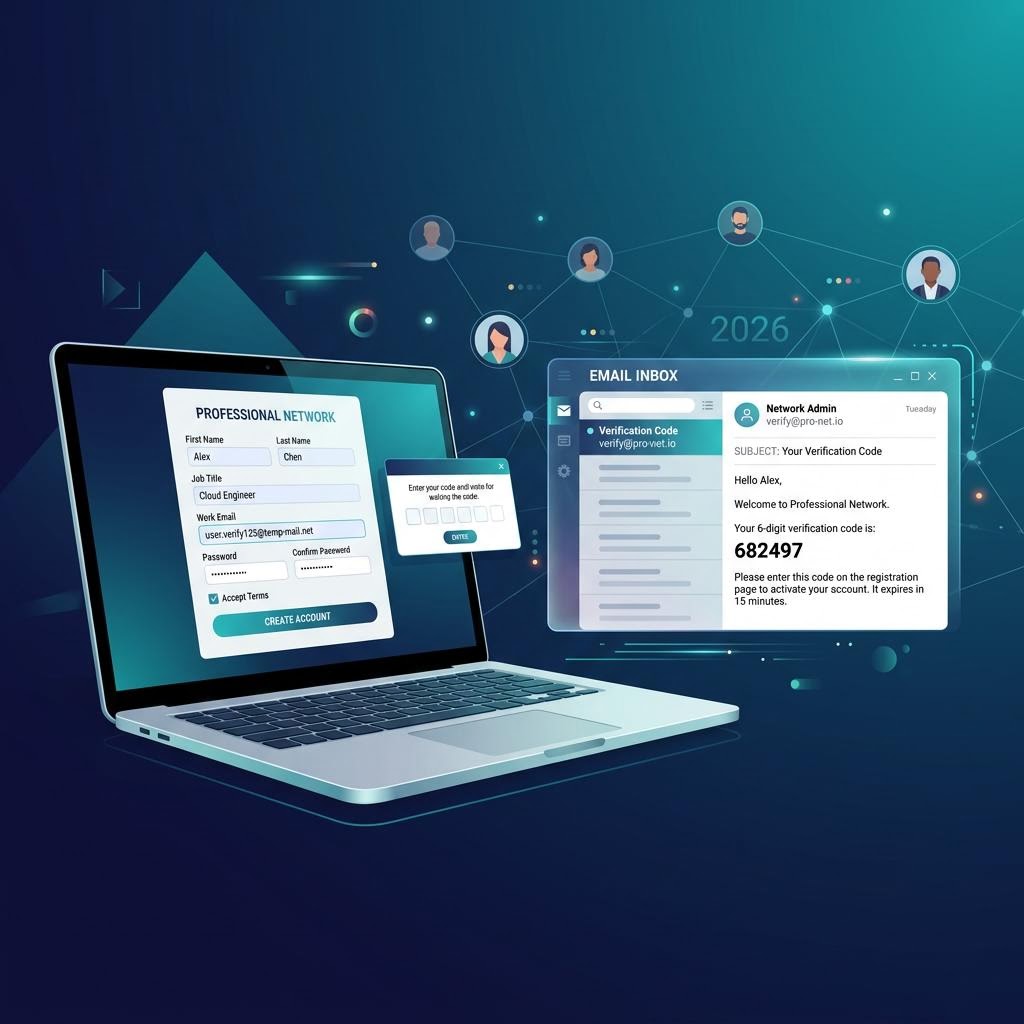
LinkedIn is the world's largest professional network — and your email address is tied to everything: login, connection notifications, job alerts, and recruiter messages. If you'd rather keep your real inbox out of LinkedIn's marketing funnel, or you're testing the platform before committing your personal email, a temporary email can get you in. Here's what actually works in 2026.
Does LinkedIn Accept Temporary Email Addresses?
LinkedIn's signup is reasonably permissive. As of 2026:
- LinkedIn accepts most email domains at the signup stage, including disposable ones
- LinkedIn sends a 6-digit verification code (not a link) to confirm your email address
- inbox Me receives LinkedIn's verification codes reliably within 60 seconds
- LinkedIn does not aggressively blocklist most disposable email services at signup time
Where LinkedIn Gets Stricter
LinkedIn's real checks come later, not at signup:
- If LinkedIn suspects unusual activity on your account (many connection requests, rapid profile changes), it may ask for additional identity verification — usually a phone number or ID document
- LinkedIn also requires phone verification for accounts it flags as suspicious, regardless of email type
- Over time, some disposable email domains get flagged if they're associated with many spam accounts
For a single, legitimately used account, these triggers are rarely hit.

Step-by-Step: Create a LinkedIn Account with inbox Me
Step 1 — Get Your Temp Email
Open inbox Me and copy your auto-generated email address. Keep this tab open for the verification step.
Step 2 — Start LinkedIn Signup
Go to linkedin.com and click Join now. Enter your first and last name (can be a professional pen name), then paste your inbox Me address in the email field. Choose a strong, unique password.
Step 3 — Enter the Verification Code
LinkedIn sends a 6-digit code immediately. Switch to your inbox Me tab — the email appears within 60 seconds. Enter the code on LinkedIn to confirm your email.
Step 4 — Complete Your Profile
LinkedIn walks you through entering your location, job title, and industry. These are required to activate the account. You can keep them vague or professional depending on your use case.
Step 5 — Secure Your Account
Critical step for LinkedIn specifically: LinkedIn uses your email for password resets, 2-step verification codes, and security alerts. Before your inbox Me session ends:
- Write down your password somewhere safe
- Optionally add a phone number: Settings → Sign in & security → Two-step verification

Why Use Temp Mail for LinkedIn?
Stopping LinkedIn's Email Marketing
LinkedIn sends more email than almost any social platform: job alerts, "People you may know", "Your profile appeared in 14 searches this week", endorsement notifications, recruiter outreach. A disposable email keeps all of this out of your real inbox.
Testing LinkedIn Features Before Committing
If you're building a brand profile, testing LinkedIn Ads, or exploring Sales Navigator before purchasing, a temp email lets you create a test account without polluting your real professional presence.
Researching Competitors or Markets
Some professionals create secondary LinkedIn accounts to research competitors or explore content strategies without linking the activity to their primary professional identity. Temp mail keeps these accounts separate.

Important Considerations
Professional identity context: LinkedIn's terms require honest account information. Creating entirely fake personas is against LinkedIn's policies. Using a temp email for a legitimately-purposed but marketing-insulated account is a different matter.
InMail and recruiter access: If you're on LinkedIn to be found by recruiters, using a temp email means recruiter messages go to an inbox that expires. For serious job searching, your real email is better.
LinkedIn Premium trials: LinkedIn Premium free trials can be started with a temp email account. Payment info is still required, but the email itself is not restricted.
Frequently Asked Questions
Does LinkedIn send a code or a link to verify email?
LinkedIn sends a 6-digit verification code in 2026. Enter it within a few minutes of receiving it — the code expires.
Can LinkedIn detect temp mail addresses at signup?
LinkedIn does not aggressively screen for disposable email domains at signup. Most inbox Me addresses pass the email verification step without issue.
What happens if my LinkedIn session is compromised and I need to reset my password?
Password resets go to the email on file. If your inbox Me session has ended, contact LinkedIn support with account recovery information (your name, profile URL, or any connected phone number).
Can I use temp mail for a LinkedIn company page?
Company pages require a personal LinkedIn account to administer. Create the personal account with temp mail (if desired), then create the company page from it.
Related Guides on inbox Me
- Temp Email for Job Seekers — when to use and not use temp mail professionally
- Temp Mail for Twitter/X — professional social media signup guide
- Protect Your Real Email Address
- Is Temporary Email Safe?
- Temp Email for Social Media Signups