Gmail Aliases vs. Temp Mail: What's the Real Difference?
inbox Me Editorial Team · ·
inbox Me
inbox Me Gmail's "+" trick (yourname+shopping@gmail.com) and dedicated alias services like Apple's Hide My Email get recommended constantly as spam-fighting tools — but they solve a different problem than a temporary email address does. Here's the real distinction.
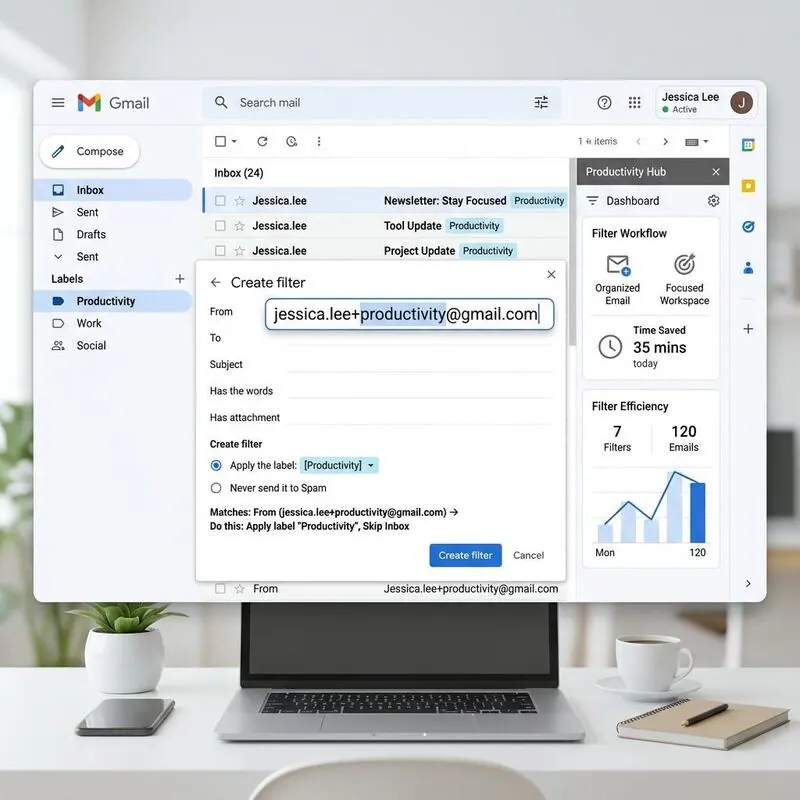
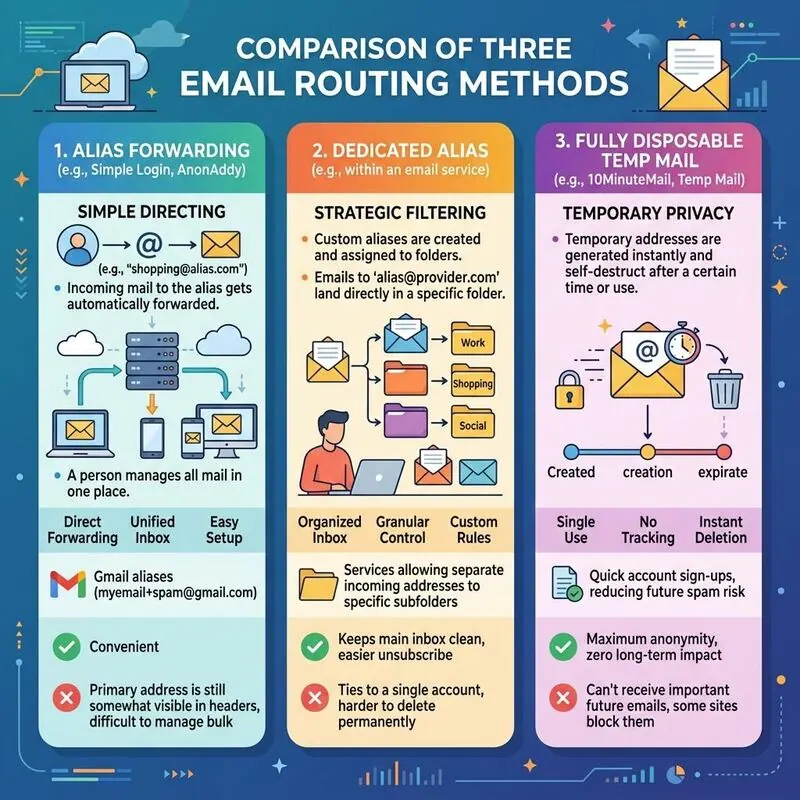
What Gmail "+" aliasing actually does Adding +anything before the @ still delivers straight to your real Gmail inbox. It's genuinely useful for filtering — you can set up a rule that auto-labels or archives mail sent to +shopping. But it does nothing to protect your identity: strip the +shopping back off and you have your exact real address. Any site (or spammer) can do this trivially, and some sign-up forms even reject the + syntax outright. inbox Me
What a dedicated alias service does Apple's Hide My Email and similar tools generate a random-looking forwarding address that relays to your real inbox, without exposing your real address to the site you signed up for. This is a genuine privacy improvement over plain aliasing — but the mail still lands in your primary inbox, so if the source starts sending a lot of volume, you're still dealing with it, just relabeled.
What a temporary email address does differently A disposable inbox isn't a forwarding layer on top of your real account at all — it's a fully separate address with no connection back to you. Nothing forwards anywhere; the inbox itself is temporary and gets discarded. This is the right tool when you don't want a record to exist, not just when you want better filtering. inbox Me
Choosing between them
Want better organization of mail you'll still receive long-term? Use Gmail aliasing. - Want privacy from the site you're signing up for, but plan to keep receiving mail from them? Use a dedicated alias service. - Want no lasting connection to your identity at all, for something short-lived? Use temporary email. They're complementary tools, not competitors — pick based on whether you want to keep receiving the mail or not.
Frequently asked questions
What does Gmail's + aliasing actually protect?
Very little. Mail still lands in your real inbox, and stripping the +suffix reveals your exact address. It helps with filtering, not with privacy.
How is an alias service different from a temp address?
An alias service forwards to your real inbox without exposing your address — a genuine privacy gain — but the mail still arrives in your primary account.
When should you choose temp mail?
When you don't want a lasting record or any connection back to your identity, for something short-lived.